

Communication Gaps
Updates spread across email, text, and separate apps slow response times and disconnect field teams from the office.
BOS Setup is the operating system that helps your team follow up, hand off, and finish work—so the business doesn't depend on you for everything.
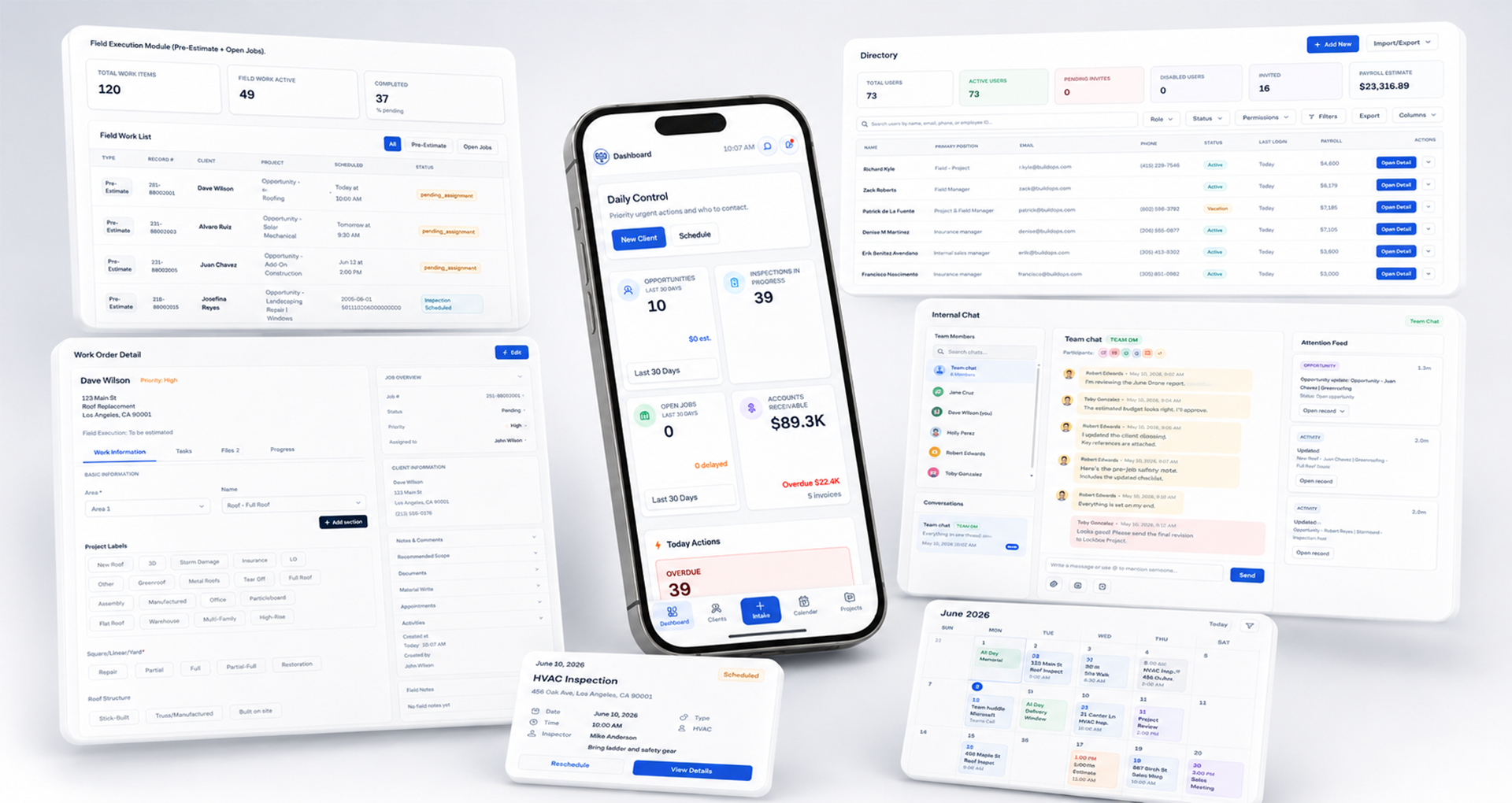
Growth becomes difficult when client records, inspections, schedules, and follow-ups live in disconnected tools—and the owner is still the one holding it together.
Updates spread across email, text, and separate apps slow response times and disconnect field teams from the office.
Manual scheduling breaks down as inspection volume grows, leading to double-bookings, travel conflicts, and crews waiting on direction.
When the owner holds every workflow together, the business cannot grow beyond personal capacity and operations stall without you.
What changes
Work has a defined owner at each step—so follow-through does not wait on one person.
Job status is available without chasing the field or reconstructing it from memory.
Reminders and next steps sit in the workflow, not in the owner's head.
BOS Setup is for established contractor and home-improvement operations—teams that already have work in motion and need the business to run without the owner holding every step.
General contracting and other home-improvement operations can be a fit when the company is already established. The system is the same operating foundation; we configure it to the way that business actually runs.
You only need a simple CRM or a lead-generation tool
You want DIY software you configure yourself
You are not ready to standardize how work moves through the team
Swipe to follow the workflow
Incoming requests enter a structured intake process.
Sales and follow-up activity remain visible.
Field data is documented and connected.
Scope and pricing stay tied to operations.
Crews and timelines stay coordinated.
Execution stays visible from office to field.
Records, communication, and outcomes stay connected.
The point is not more software. It is inspections, estimates, and field work that match how your trade actually runs—so the owner is not inventing the process every week.
BOS Setup uses the same operating-system foundation for every implementation. Roofing, windows and doors, and painting are the trades we actively support today. Configuration follows the operating context of the trade—not a different product for each one.
Explore industries we serveWhat adapts by trade
Field inspection workflows and documentation shaped around how your trade actually inspects.
Estimate preparation and review aligned to the way your trade prices and scopes work.
A shared view of field activity configured to how jobs move in your trade.
BOS Setup is not a DIY software setup. Yoeweb is your implementation partner—designing workflows, configuring infrastructure, training your team, and optimizing as you grow.
It is built for how contractor teams actually work—office and field using the same workflows, not office-only software.
Built around how your teams sell, schedule, and produce—not generic templates.
Role-based onboarding so your team knows how work moves through the operation.
Yoeweb refines workflows and expands automation as your business evolves.
A structured rollout over several weeks—scoped to your workflow complexity, team size, and operational needs.
Operational audit & workflow mapping
Infrastructure configuration & workflow automation
Team onboarding & system validation
Go-live & optimization support
Practical answers on implementation, fit, and support.
Most implementations follow a phased rollout over several weeks—discovery, build, training, launch, and ongoing optimization—depending on workflow complexity and team size.
A CRM tracks sales. BOS Setup connects sales, production, scheduling, communication, and reporting into one operational system—and Yoeweb implements it with workflow design, automation, training, and ongoing support.
Not always. During discovery, Yoeweb evaluates what to integrate, replace, or consolidate to create a connected operational backbone without unnecessary disruption.
Yoeweb provides ongoing optimization, workflow refinement, team training support, and technical assistance as your operation grows or changes.
Handoffs, scheduling, and visibility have to keep working when there are more jobs and more people. BOS Setup is built so workflows and reporting can support that volume without sending every coordination question back to the owner.
Many contractor companies operate across English and Spanish every day. Depending on the project, Yoeweb can support English, Spanish, or bilingual workflows for websites, sales assets, documentation, and operational systems when needed.
Our goal is to help create clarity between owners, office staff, field teams, and customer-facing communication — regardless of whether a company operates primarily in English, Spanish, or a combination of both.
See whether BOS Setup can give your team a clear way to operate—without every decision coming back to you.